
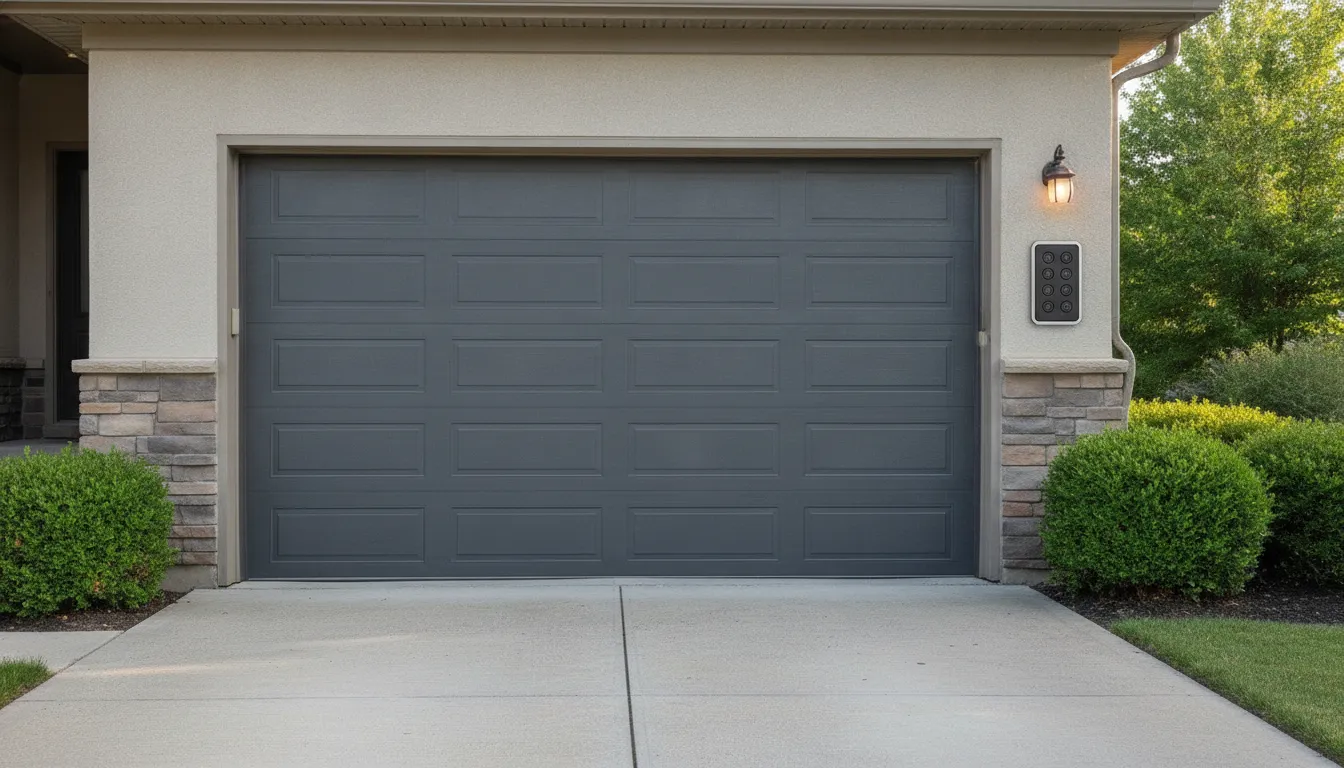
A garage door opener keypad is useful when someone needs to open the door without a remote or a house key. It is a small wireless pad mounted outside the garage. You enter a personal code, and the opener runs the door. It does not replace the wall button, and it does not fix a door that already sticks, bangs, or will not stay balanced.
Ask Garage Kings whether a keypad fits your opener
The useful question is practical. Do people at your home get locked out, share the garage, or want a way in that does not depend on one clicker? If yes, a garage door opener keypad is often worth adding. If the door itself is the problem, start with the door. Garage Kings garage door services cover installation, replacement, and accessory upgrades such as keyless entry, so the pad can be planned with the door rather than bolted on as an afterthought.
What a Garage Door Opener Keypad Does
A wireless keypad sends a radio signal to the opener, much like a handheld remote. The difference is where it lives. The pad stays on the jamb or the wall outside the door, so anyone with the code can use it. You do not have to carry a second clicker, hide a key, or walk around to another entrance.
Most pads are battery powered. They are not hard-wired into the opener. That makes them simple to place, but it also means the battery is part of the routine. A dead battery looks like a broken opener until you test the wall button inside. If the wall button still works, the door and motor are probably fine and the outside control is the weak link.
A keypad is an accessory, not a new opener. It can be added to many existing units when the model accepts that brand of wireless control. It can also come with a replacement opener. The garage door opener replacement guide is the right place to decide whether the motor itself should be changed. This page stays on the smaller question: is the outside pad worth having?
Think of three controls, each with a job:
- Wall button. This is the primary control inside the garage. It should still work if every remote and the keypad fail.
- Handheld remote. This is the control you keep in a car. It is convenient until it is lost, left in another vehicle, or out of battery.
- Wireless keypad. This is the shared outside control. It helps guests, family members, and anyone who arrives without a clicker.
None of those controls should be used to force a door that is off its track or a spring that looks broken. The opener is only as safe as the door it moves.
When a Keypad Is Worth Adding
A keypad earns its place when access, not horsepower, is the gap. Homeowners usually notice it on an ordinary day. The remote is in the other car, a neighbor needs to drop a package, or someone comes home while the clicker is on the counter.
Households that share one garage
Two or three drivers rarely need two or three extra remotes. A shared code lets each person in, and you can change the code when a sitter, contractor, or former roommate should no longer have it. Collecting a physical clicker is harder than changing a PIN.
People who misplace remotes
A clicker in a gym bag does not help you at the driveway. The pad is there every time. That is the main reason a garage door opener keypad feels useful after the first month, not just on installation day.
Homes without a separate entry door
Some garages are the everyday front door. If the only other way in is a locked service door around the side, an outside code is a practical backup. It is still not a reason to leave the overhead door open.
Short-term access
Many current pads let you set a temporary code for a cleaner, dog walker, or family visit. Use that feature when you have it. Delete the code when the visit ends. Do not share your everyday PIN just because it is faster.
A keypad is a weak fit when nobody but you uses the garage, you already carry one remote, and you have a reliable house key. In that case the pad is optional convenience, not a must-have.
Keypad vs Remote vs Wall Button
Use this table to match the control to the job. It is a fit guide, not a brand ranking and not a price list.
| Control | Best use | Main limit |
|---|---|---|
| Wall button. | Daily use from inside the garage. | It does not help you outside. |
| Handheld remote. | Best for one driver and one vehicle. | It is easy to lose or leave behind. |
| Wireless keypad. | Shared or backup access at the driveway. | The code and battery need upkeep. |
| Vehicle button. | Best for the car you drive most. | It is tied to that vehicle only. |
You can own all four. Many homes do. The keypad is the one that stays with the building. That is why it helps renters of a room, kids who do not drive yet, and anyone walking up from the street. It is a poor substitute for a remote if your only goal is pushing one button from the driver’s seat in the rain.
Compatibility matters more than the shape of the pad. A keypad has to speak the same radio language as the opener. A pad from a different product family may look fine on the wall and still do nothing. Match the accessory to the opener’s brand and model, or ask an installer to confirm the match before you buy one.
Placement matters too. Mount the pad where a standing adult can see the door while using it. Do not hide it behind a downspout, a light that blinds the buttons at night, or a spot that forces you to stand in the door’s path. You should be able to watch the opening the whole time the door moves.
Safety Limits of a Wireless Keypad
A keypad does not make an older opener safe, and it does not make a safe opener unsafe by itself. The operator still has to stop and reverse when something is in the way. The U.S. Consumer Product Safety Commission requires automatic residential garage door operators to meet the federal standard 16 CFR Part 1211. DASMA, the door and access manufacturers’ association, publishes operator guidance for dealers and consumers and warns that those sheets do not replace the manufacturer’s own instructions.
Read the opener label and the manual before you trust any new control. Two official starting points are the CPSC FAQ on automatic residential garage door operators and DASMA’s technical data sheets. Those pages explain the standard and point you back to the product instructions. They are not a DIY script for springs, cables, or a stuck door.
Keep these habits if you add a pad:
- Stand where you can see the full door before you enter the code.
- Stop the door if a person, pet, bike, or car moves into the opening.
- Test the reverse feature the way the manual describes. If the door does not reverse, stop using the opener and have it checked.
- Do not disconnect safety sensors to “make the keypad work.” A pad cannot repair a sensor that is blocked, misaligned, or unplugged.
- Leave springs, cables, and bottom brackets alone. Those parts are under high tension.
If the door slams, rises unevenly, or will not stay open when the opener is disconnected, the keypad is not the project. The garage door repair guide walks through the homeowner checks that come before any accessory. Fix the door first. Then add controls.
An outside code is also a privacy choice. Treat the PIN like a house key. Do not use 1234, a birthday, or the street number. Change it after a move-in, a breakup, a rental turnover, or any time the code was written on a note that left the house. A temporary code is safer than telling a visitor the family PIN.
How to Decide If You Need One
Answer the questions in order. Stop when the answer points to a different project, such as a new opener or a door repair.
- Confirm the wall button works and the door travels smoothly. If it does not, pause the keypad plan.
- Count how often someone arrives without a remote. Once a year is optional. Every week is a real use.
- Check whether the current opener accepts a wireless keypad from its own brand. Look at the model label on the motor unit, not the color of the door.
- Decide who needs a code, and whether you can delete that code later without a service call.
- Pick a mounting spot with a clear view of the door and enough light to read the buttons.
- Ask a local installer to confirm fit if the opener is old, unlabeled, or already unreliable.
Step 6 is the one people skip. An old opener may learn a new pad and still be a poor long-term buy. Age, noise, and a door that feels heavy are replacement clues. Cost belongs on the opener installation cost guide, not in a yes-or-no keypad article. Programming steps also belong elsewhere. The guide to programming a garage door opener covers pairing a remote, keypad, or vehicle button once you already own the right control.
A keypad is the right add-on when the opener is sound and the missing piece is access. It is the wrong add-on when you are trying to quiet a failing motor, add battery backup, or choose between belt drive and chain drive. Those are separate decisions with their own pages.
Garage Kings can look at the opener you have and say whether keyless entry is a match. That visit is also the right time to talk about the door, the tracks, and whether the whole opener should be replaced. The garage door buying guide helps if the door itself is part of the project. For a narrower look at overhead doors, the overhead garage door planning guide covers fit and selection without turning into a keypad manual.
What a Keypad Will Not Fix
Set expectations before you order the pad. A garage door opener keypad will not:
- Balance a heavy door or replace a worn spring.
- Silence a grinding opener. Noise usually points to the drive, the door hardware, or both.
- Add battery backup. That is a power feature, not an access feature.
- Turn an old opener into a Wi-Fi opener. App control is a different accessory or a different unit.
- Lock the door against someone who already has a working remote. You still need to erase old remotes if access should end.
- Meet a commercial loading-dock spec. This article is about a home garage.
If two of those problems describe your door, talk about the system, not the pad. A short visit can sort accessory from replacement faster than another online comparison. The garage door service guide explains how homeowners can think about service before they call.
Useful does not mean urgent. If your remotes work, the door reverses properly, and nobody else needs access, you can wait. Add the pad when a second driver, a rental, or a lost clicker makes the outside code the simple fix.
Schedule a garage door visit with Garage Kings
Frequently Asked Questions
Is a garage door opener keypad useful if I already have a remote?
Yes, if anyone else needs in, or if you sometimes arrive without that remote. The remote is better from the car. The keypad is better as a backup that stays on the house. Many homes keep both.
Can I add a keypad to the opener I already own?
Often, yes, when the pad matches that opener’s brand and model. Check the label on the motor unit and the accessory list in the manual. If the unit is unlabeled or no longer learns new controls, ask an installer before you buy a pad.
Does a keypad replace a lock or a deadbolt?
No. It is a wireless switch for the opener. The door still needs a working lock function or an opener that secures it when closed, and the house still needs its own entry locks. Change the PIN when access should change.
Is a wireless keypad safe for kids and guests?
It is as safe as the opener and the habits around it. Anyone using the code should see the door move and know how to stop it. Do not give the code to a child who is not ready to watch the opening. Test the reverse feature on the schedule in your manual.
Will a keypad fix a door that will not close?
No. If the wall button cannot close the door, a new pad will not either. Look for a blocked sensor, an obstruction, or a door problem first. A keypad only sends the same kind of signal a remote sends.