
If you are researching how to add battery backup to garage door opener equipment, begin with the exact opener model—not a battery selected by appearance. Backup options are model-specific: some openers support a compatible accessory, while others may require a different opener. This guide explains how to check, compare, and plan your next step. For broader door decisions, start with this garage door buyer’s guide.
Discuss your garage door project
What does a battery backup do?
A battery backup is designed to supply power to a compatible garage door opener when normal household power is unavailable. It can allow the opener to operate for a limited time, but the number of cycles and duration vary by product, battery condition, door condition, and use. Do not assume that backup power will last indefinitely or work with every opener.
A backup also does not replace routine care of the door and opener. The door still needs to move properly, the opener must support the battery, and the equipment should be maintained as its manuals direct. A battery backup is different from a manual release. The battery supplies power to an opener; the manual release disengages the opener so the door can be operated by hand according to the product instructions.
Think of the battery as one part of the whole system. If you are considering a larger door or opener project, Garage Kings provides information about its garage door services and a separate homeowner guide to garage door service.
How can you tell whether your opener supports a backup?
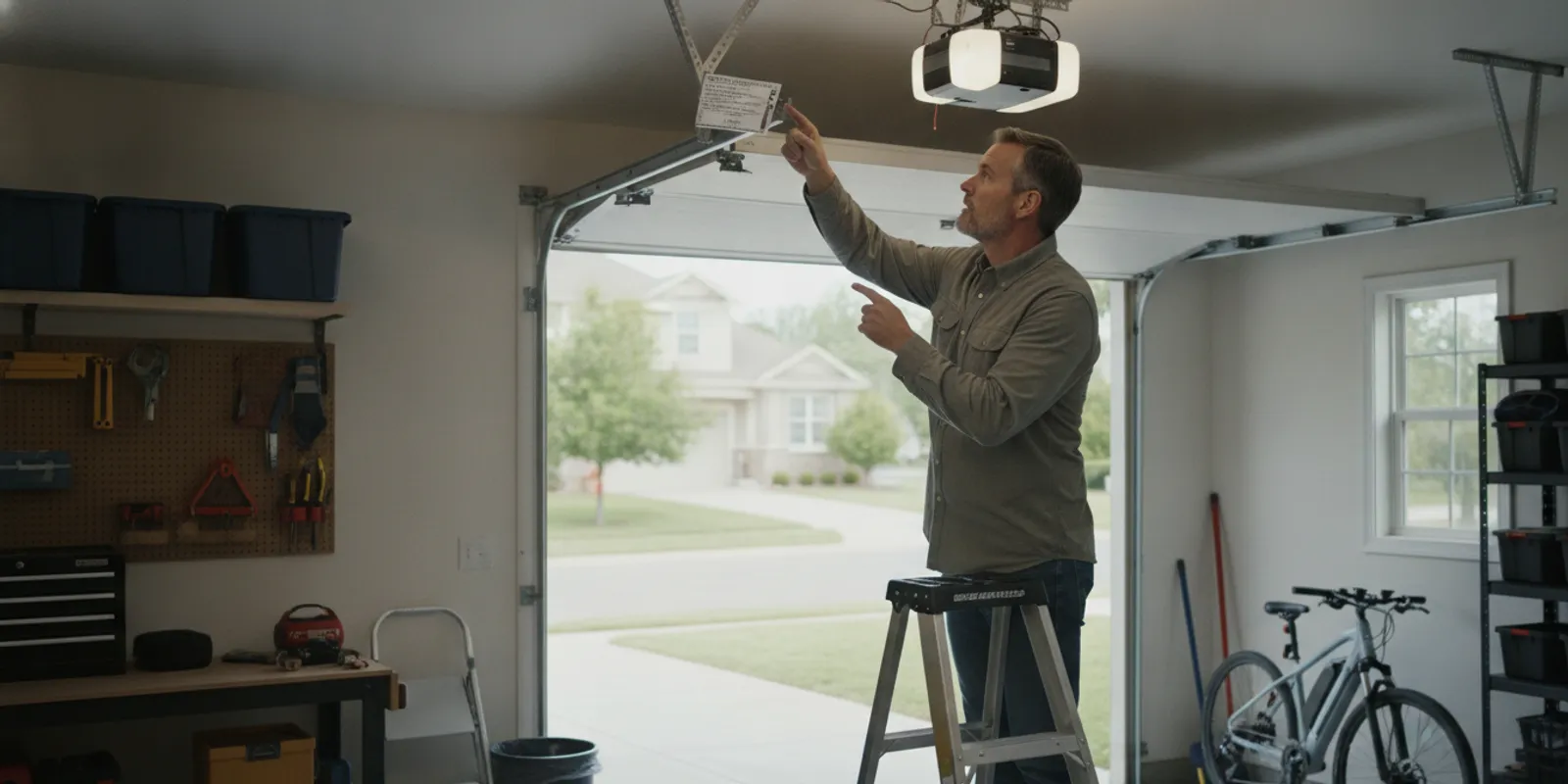
Start by identifying the opener rather than shopping by brand or appearance. Look for the manufacturer and full model number, commonly printed on a label attached to the motor housing. Label locations vary. Use a stable step stool only if you can reach the label safely; do not climb on the door, tracks, or opener components, and do not lean over moving parts.
With the model number in hand, consult the owner’s manual and the manufacturer’s official product information. Look for explicit compatibility information about a battery backup or accessory. Confirm the accessory’s exact model compatibility, connection method, mounting arrangement, and setup requirements. Openers that look similar—even within the same product family—may have different electronics.
- Record the complete model number. Include any letters, numbers, and suffixes on the label. A partial model number may not distinguish between versions.
- Find the manual for that exact unit. Use the manufacturer’s official support material if the printed manual is missing. If the model label is unclear or inaccessible, ask a qualified service professional to help identify the equipment.
- Check more than the overview page. Search the manual for battery, accessory, installation, and troubleshooting information. Some details appear in a separate accessory document.
- Verify the proposed battery model. Match the accessory number to the manufacturer’s compatibility information. A battery that fits a different opener from the same brand is not automatically suitable.
- Check whether a backup is already present. The accessory may be mounted out of immediate view. Do not remove covers or open the motor housing to investigate.
Keep the manual available while comparing options. If the manufacturer’s information does not confirm compatibility, pause before purchasing or connecting anything. A provider should be able to identify both the opener and the proposed battery model and explain the compatibility basis.
Which route should you take?
Once you have the model information, the decision generally falls into one of three paths. Availability depends on the opener, its condition, and the product instructions. The table is a comparison checklist, not a promise that every option is supported.
| Path | When it may fit | What to verify | Planning trade-off |
|---|---|---|---|
| Approved retrofit battery | The exact opener model is listed as compatible with an add-on. | Accessory number, connection and mounting instructions, setup, and battery care. | May retain a working opener, but compatibility and installation are model-specific. |
| Replace the opener with a backup-capable model | The current opener does not support an accessory, or replacement is already being considered. | Door compatibility, backup components, controls, installation scope, and warranty terms. | A larger equipment change than adding an accessory; compare the complete scope. |
| Keep the current setup and use the manual release when appropriate | No supported battery is confirmed, or backup operation is not a priority. | Safe access to the release and the door and opener manuals. | Does not provide powered operation; it is a separate way to disengage the opener. |
Compare the complete project, not only a battery’s purchase price. For a retrofit, ask whether installation, configuration, and testing are included, and what maintenance is your responsibility. For a replacement, compare the opener, backup components, labor, removal of old equipment, controls, and warranty terms as applicable. The written scope should identify the equipment being installed.
If the project also involves a new door, the overhead garage door planning guide can help you think through the door itself. For door selection questions, the buyer’s guide is another useful reference.
How do you plan an addition or replacement?
Use a clear sequence so that compatibility, work scope, and handoff are settled before installation:
- Write down your goal. Decide whether you want to keep a working opener and add an approved backup, or whether replacement is part of a larger project.
- Collect the equipment details. Record the current opener model, the door type, and any symptoms or known issues. Do not remove covers or disconnect wiring to gather information.
- Get a specific compatibility answer. Confirm that the manufacturer approves the proposed battery for your exact opener, or compare compatible replacement systems. Ask what documentation supports the recommendation.
- Clarify the work scope. Ask who supplies the battery, who installs it, what configuration is included, and how operation will be checked afterward.
- Review use and care instructions. Find out how the product reports battery status, what its alerts mean, and what inspection or replacement guidance the manufacturer provides.
- Plan the handoff. Make sure you know how to use the opener, the manual release, and any battery indicator described in the product documentation.
Do not rely on a generic wiring diagram or instructions written for another model. Opener electronics and accessories differ. Follow the manufacturer’s instructions for the precise model. If the work goes beyond your experience or calls for electrical or mechanical work you are not equipped to do, use an appropriately qualified professional.
What should you ask before work begins?
Clear questions can reveal whether a recommendation is an accessory addition or a full replacement, and what the proposal actually covers. Ask the provider:
- Does the manufacturer list this exact battery model as compatible with my exact opener?
- Is the proposal for an add-on, or does it include a replacement opener?
- What opener and battery model numbers will be installed, and will I receive their manuals?
- Does the work include mounting, connection, setup, and post-installation checks?
- How can I tell whether the battery is charged or needs attention?
- What maintenance and replacement guidance does the manufacturer provide?
- Are there operating limitations or a stated cycle count while using backup power?
- Does the door need attention before the opener or battery is installed?
If the answer to compatibility is uncertain, ask for confirmation from the manufacturer before proceeding. A useful answer names the opener and accessory models rather than relying on a general statement that both products share a brand.
When a concern points to the door rather than the opener, review this overview of garage door repair considerations. A battery accessory cannot resolve a mechanical issue with the door.
What safety details matter?
A garage door is a large moving system, and its opener has electrical and mechanical components. Keep hands, tools, and loose items away from moving parts. Do not bypass safety sensors or other protective features, and do not adjust springs, cables, or door hardware as part of a battery installation. These are not battery setup tasks.
Before any user test, follow the opener manufacturer’s instructions and keep people and objects clear of the door’s path. Learn how the manual release works and how the door behaves when disconnected, but do not test it in a way the product maker does not recommend. If the door is unusually heavy, crooked, noisy, or difficult to move, stop and have the door system assessed rather than expecting a battery to compensate for a mechanical problem. This garage door springs guide explains why spring concerns should be treated as a separate issue.
For general consumer product-safety information, the U.S. Consumer Product Safety Commission is an authoritative resource. For product-specific operating and installation instructions, use the manual and support material for your opener.
How should you sort out your specific situation?
Consider two common cases. In the first, your opener is relatively new, operates the door normally, and its manual names a compatible backup accessory. That points toward checking the listed accessory and its setup requirements, then comparing the installation scope with your goal. In the second, the opener model has no confirmed backup option, or the existing unit has problems that need attention. Buying a battery that seems to fit does not solve either issue. Get a clear assessment of whether a replacement is appropriate and whether it supports the door and controls you already use.
Also separate a power outage from a door problem. If power is available but the door is struggling, stopping partway, or making unusual sounds, the battery is not a troubleshooting fix. Note what happens, avoid repeated operation when the door behaves abnormally, and consult the opener and door instructions or a qualified service professional. If your main concern is access without power, learn the manufacturer’s manual-release procedure and limitations even if you decide to add a battery. Those are separate capabilities, and knowing both helps you plan for different situations.
How should you test and maintain the backup?
When installation is complete, ask the installer to demonstrate normal operation and explain the manufacturer’s test procedure. Find out where the battery indicator is, what its signals mean, and how to tell when it needs service or replacement. Keep the manual and installation details in a place household members can find.
Use only the test method specified for your model. A product may have an indicator or a particular test sequence; features vary. Do not improvise by unplugging equipment or disconnecting power unless the manual expressly instructs you to do so. If the maker calls for periodic checks, add them to a home maintenance calendar and note the date of each check.
Battery condition can change with age and use. Follow the product maker’s care and replacement guidance, and respond to alerts as described in the manual. Do not assume the battery is ready simply because the opener works on household power. If an indicator reports a fault or the backup does not behave as expected during an approved test, contact the installer or manufacturer for model-specific guidance.
How can you compare two proposals?
Compare what each proposal includes rather than setting an accessory price against a replacement project’s total. A written scope helps show whether the offers cover equivalent equipment and work. It also gives you a useful record after installation.
- Equipment: Record the opener and battery model numbers. Confirm the accessory listing for an existing opener, or identify the backup included with a replacement.
- Installation: Check whether mounting, connection, configuration, removal of old equipment, and operational checks are included or excluded.
- Use and upkeep: Ask what documentation you will receive and who will explain indicators and routine checks.
- Limits and assumptions: Clarify any stated operating limits, conditions of the existing door, or other factors that could change the project scope.
- Coverage: Review warranty terms for the opener, battery, and installation separately. Ask whom to contact if a concern appears.
For example, one proposal might cover only a compatible accessory, while another recommends a replacement opener and setup. These are different solutions, not like-for-like offers. If your existing opener is unsupported, ask each provider to explain the replacement choice and its compatibility with your door. If an accessory is supported, ask what testing and inspection of the existing setup are included. Neither a lower initial figure nor a broader package alone proves which option is right. Match the written scope to your goal and verify manufacturer support for the proposed configuration.
If you are comparing a wider door project as well, Garage Kings shares information on garage door installation and replacement. Keep the opener backup decision distinct from decisions about the door itself, so you can see what each part of a proposal addresses.
Talk through your garage door project
Frequently Asked Questions
Can I add a battery to any garage door opener?
No. The exact opener must support a compatible battery accessory, or you may need to consider replacing it with a model that supports backup operation. Check the manual and manufacturer information before buying or connecting a battery.
Can I install a battery backup myself?
That depends on the product instructions, your skills, and any applicable requirements. Follow only the directions for the exact model. If the work involves unfamiliar electrical tasks, opening equipment covers, or adjustments beyond the instructions, ask a qualified professional rather than improvising.
How long will backup power operate the opener?
There is no universal runtime or cycle count. Product specifications, battery condition, door condition, and frequency of use affect performance. Review the manufacturer’s documentation for stated limitations and do not rely on an assumed duration.
Does battery backup replace the manual release?
No. A battery backup supplies power to a compatible opener within its stated limits. A manual release disengages the opener so the door can be operated by hand according to the manufacturer’s directions. Learn how both functions work for your system.
Choose the next step with the model in hand
The practical way to decide how to add battery backup to garage door opener equipment is to identify the opener, confirm compatibility with the manufacturer, and agree on an installation and testing plan before work begins.